A supplier invoice arrives in WhatsApp while you are travelling. Another lands in email in Italian. Your accountant needs the month’s figures tomorrow, and the VAT return is due soon. That is where cloud bookkeeping vs desktop accounting stops being a software preference and becomes an operational decision.
For many Maltese businesses, the real question is simple: how much time should your team spend moving documents, entering figures and checking VAT treatment before useful financial information is available?
Cloud bookkeeping vs desktop accounting: the practical difference
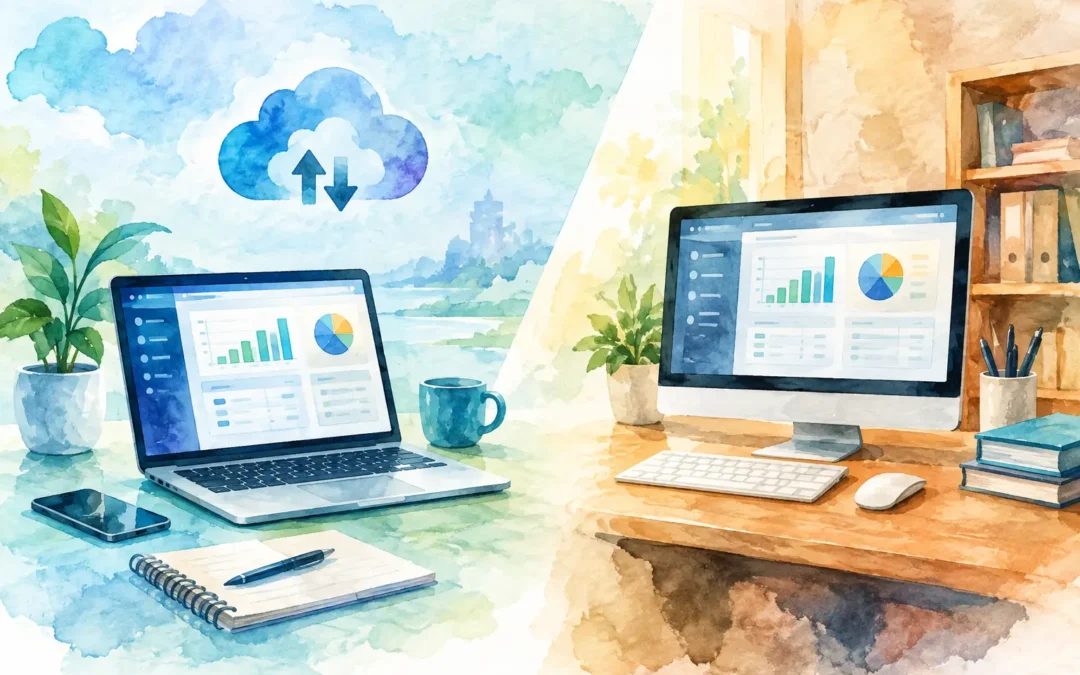
Desktop accounting software is installed on a specific computer or managed through a local company server. Cloud bookkeeping runs through an internet-connected platform, with records stored and processed online. Both can produce accounts, reports and VAT information. The difference is how work enters the system, who can access it, and how much manual effort sits between an invoice arriving and a usable number appearing in your records.
A desktop setup often follows a familiar pattern. Someone receives an invoice, saves or prints it, enters the details, selects an account and VAT code, then sends exports or backups to the accountant. It can work well when the volume is low, one person owns the process and every document is handled from the same office.
Cloud bookkeeping changes that workflow. Invoices can be submitted when they arrive, from email, a dashboard or a messaging channel. The system captures key data, applies learned supplier details and makes records available to the business owner and accountant without waiting for files to be exchanged.
The distinction matters most at month end. Desktop processes tend to collect work for later. Cloud systems are built to process it continuously.
Access is not just a convenience feature
The strongest case for cloud bookkeeping is not that you can look at your accounts from a phone. It is that the right people can work from the same current information.
A director can submit a receipt from an airport. An office manager can check whether a supplier bill has been captured. An accountant can review categorisation without requesting a backup file or waiting for someone to close their desktop application. For businesses with remote staff, multiple directors or an external accountant, this removes a surprising amount of friction.
Desktop accounting can still suit a business with a fixed, tightly controlled finance routine. If one experienced bookkeeper works in the office every day and there is no need for shared access, a local installation may feel perfectly adequate. But access becomes a weakness when that person is absent, the computer fails, or urgent information is needed outside the office.
Cloud access also needs discipline. User permissions matter. Not every employee should be able to alter accounting records, approve payments or see sensitive reports. A suitable platform should allow access to be controlled by role rather than forcing a choice between giving someone the master password and giving them nothing.
VAT treatment is where local fit matters
For a Malta-based business, generic bookkeeping is not enough. VAT categorisation needs to reflect the transaction, supplier location and nature of the expense. EU purchases, reverse-charge treatment, local VAT and exempt items all need to be handled correctly before figures are useful for filing.
With desktop accounting, VAT codes are usually available, but the quality of the output depends heavily on the person entering each invoice. A wrong selection can sit unnoticed until reconciliation or return preparation. The software records what it is told. It does not necessarily reduce the judgement required.
Cloud bookkeeping can make the routine part of that process much faster. A system designed for Malta can identify invoice data, categorise VAT consistently and prepare monthly summaries with pre-filled CFR VAT return figures for review. That does not remove the need for oversight. Unusual transactions, mixed supplies and incomplete supplier documents still need human judgement. It does mean your attention is spent on exceptions, rather than on copying standard invoices into a spreadsheet.
This is particularly valuable for businesses buying services or stock across the EU. A foreign-currency invoice introduces two routine jobs: recording the correct VAT position and converting the amount to euros. Handling both manually across dozens of documents is slow and leaves plenty of room for small errors that become larger problems at month end.
Automation changes the cost of bookkeeping
Desktop software is often seen as cheaper because the licence fee can be lower or paid upfront. That comparison is incomplete. The meaningful cost is the total cost of processing a month’s paperwork.
Count the time spent downloading attachments, chasing missing invoices, reading supplier details, entering line items, converting currencies, selecting VAT codes, correcting mistakes and sending files to an accountant. Add the cost of delayed visibility when nobody knows the current position until the records are updated. A low software price does not compensate for a process that consumes hours every week.
Cloud bookkeeping usually uses a subscription model, so the monthly cost is more visible. In return, it can reduce repetitive administration through invoice capture, supplier memory and automated categorisation. The value rises with document volume. A freelancer handling a handful of bills may prioritise simplicity. A growing SME processing invoices from multiple suppliers and currencies will usually see the benefit sooner.
The key is to separate automation from blind automation. A good system should not bury questionable transactions in an algorithm. It should process recurring, high-confidence work quickly and flag the records that need a person to check them.
Security and backups need a realistic comparison
Some business owners trust desktop accounting because the data is on their computer. Local control can be reassuring, but it also creates local responsibility. You need dependable backups, software updates, access controls, device security and a recovery plan if hardware is lost, damaged or infected.
Cloud providers manage infrastructure, backups and system updates as part of the service. That can reduce risk, but only if the provider uses proper security practices and the business manages its own user access sensibly. Strong passwords, multi-factor authentication where available, and prompt removal of former staff members are basic controls, not optional extras.
Neither model is automatically secure simply because of where it is hosted. Desktop data can be exposed through weak backups or a lost laptop. Cloud data can be exposed through shared passwords or overly broad permissions. The better option is the one supported by clear processes, reliable access management and records that can be recovered when needed.
When desktop accounting still makes sense
Desktop accounting has not disappeared for a reason. It may be the right choice where internet connectivity is unreliable, legacy integrations are essential, or an established finance team has highly specialised workflows that would be expensive to rebuild.
It can also suit businesses that require detailed on-premise control and have the internal capability to maintain it properly. In these cases, moving to the cloud purely because it is newer is not a strategy. The migration effort, staff training and compatibility with existing systems need to justify the change.
But many small businesses are not protecting a sophisticated finance operation. They are protecting a familiar manual routine. That is different. If the process depends on one machine, one spreadsheet and one person remembering what to do, it is fragile even when the accounting software itself is capable.
Choosing the setup that fits your business
Start with your actual workflow, not a feature checklist. Where do invoices arrive? How long do they wait before being recorded? Who needs visibility? How often do you handle foreign currencies or EU suppliers? How much accountant time goes into requesting, cleaning and checking documents?
If your answer includes inboxes, paper piles, spreadsheet trackers and end-of-month data entry, cloud bookkeeping is likely to remove meaningful admin. MyAccountant, for example, is built around sending invoices by email, WhatsApp or dashboard upload, then turning them into Malta-ready records for review rather than another manual task list.
If desktop software already produces accurate, timely records with little manual handling, there may be no urgent reason to change. The right decision is not about using the newest tool. It is about creating a process that gives you dependable figures without turning invoice processing into a second job.
Choose the setup that leaves your team with fewer documents to chase, fewer numbers to retype and more time to act on what the numbers are telling you.