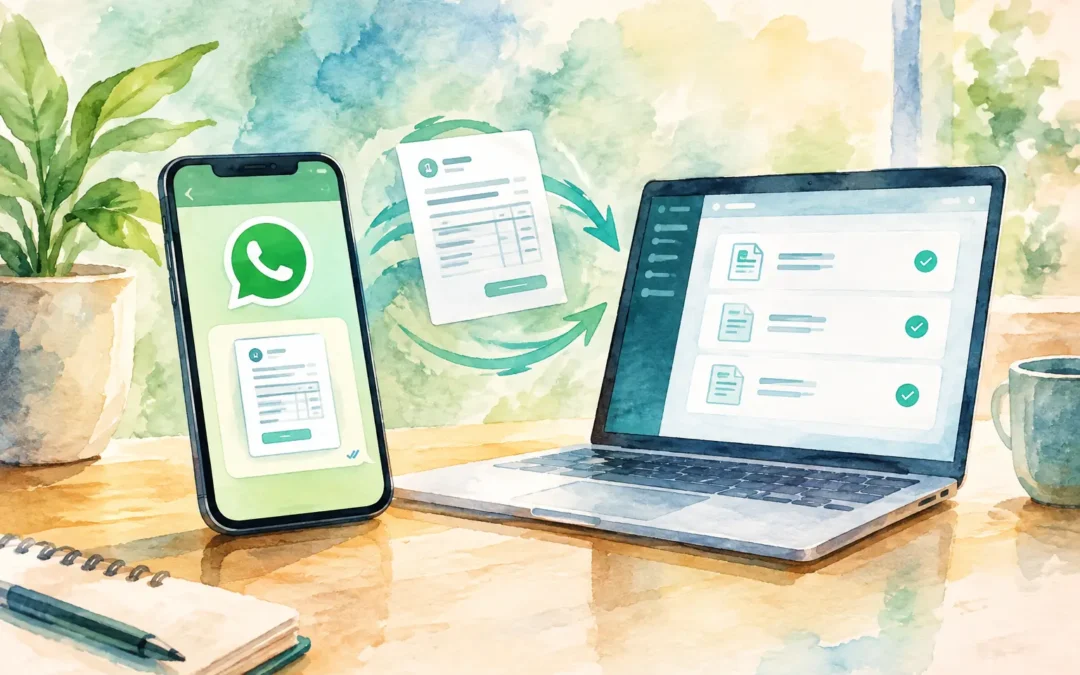
A supplier sends a receipt to your WhatsApp at 8.47pm. Another sends a PDF the next morning. By Friday, neither has reached your books. Knowing how to process WhatsApp invoices properly turns an informal chat channel into a controlled finance workflow, without adding another spreadsheet or creating a month-end chase.
The aim is not to make WhatsApp your accounting system. It is to make it a fast intake route. The invoice still needs to be captured, checked, categorised, retained and included in reporting. The difference is that those steps can happen automatically once the document is sent.
Why WhatsApp invoices need a process
WhatsApp is convenient because it is already where many business conversations happen. Owners forward supplier invoices straight from their phones. Site teams photograph fuel receipts. Overseas suppliers send documents as images when a formal email never arrives.
Convenience becomes a problem when invoices remain buried in chats. A missing purchase invoice can mean an incomplete cost record, a VAT treatment that is never reviewed, or a director paying a supplier without the document being available for the accountant. Searching through messages at month-end is not a process. It is a recovery exercise.
A sound workflow gives every submitted document the same destination and the same checks, whether it arrives as a PDF, photo or scan. It also gives the person who sent it confidence that they do not need to re-enter the same details elsewhere.
How to process WhatsApp invoices in five steps
1. Send the original document, not a cropped screenshot
Forward the supplier PDF where possible. If the invoice only exists on paper, photograph the full page in good light, including the supplier details, invoice number, date, line totals and VAT amount. Avoid screenshots that cut off the total or show only a payment confirmation.
A payment confirmation proves that money moved. It does not necessarily provide the information needed to record an expense or assess VAT. The supplier invoice is the document to process. If a receipt is all you have, retain it, but flag it where the supplier name, tax details or transaction date are unclear.
For recurring suppliers, a simple habit makes a material difference: send each invoice as soon as it arrives or is paid. The closer intake is to the transaction date, the less time is spent reconstructing the month later.
2. Capture the data from the document
The next task is extracting the fields that matter: supplier name, invoice number, invoice date, due date, net value, VAT, gross total, currency and a useful description of the purchase. Manual entry works at very low volume, but it creates the same repetitive work every month and makes typing errors inevitable.
Invoice-processing software reads the document and turns those fields into structured records. MyAccountant accepts invoices through WhatsApp, then extracts the relevant data for review and bookkeeping. This is particularly useful when staff, directors and suppliers all submit documents in different formats.
Extraction should not be treated as blind posting. A clear invoice with a familiar supplier will generally need little attention. A blurred photo, handwritten document or invoice with two possible totals should be surfaced as an exception. Automation should remove routine work, not hide uncertainty.
3. Apply the right VAT treatment
For Malta businesses, this is where a casual inbox workflow often falls apart. Recording the gross amount is easy. Applying the right VAT category is the work that affects reporting.
The correct treatment depends on what was purchased, where the supplier belongs, where the supply is treated as taking place, and whether reverse-charge rules or another special treatment applies. An invoice from a Maltese supplier is not handled in the same way as an EU service invoice or a purchase from outside the EU. A foreign invoice may show no VAT at all, but that does not automatically mean there is no VAT consideration for the buyer.
Use supplier history and category rules to speed up routine decisions, but review new suppliers and unusual purchases. Software can learn that a regular local supplier normally belongs to a particular expense and VAT category. It should still flag an unfamiliar tax code, a document that conflicts with past patterns, or a missing VAT amount.
The practical standard is simple: every invoice should have a traceable VAT treatment before it reaches the return figures. If the treatment is uncertain, send it to your accountant for review rather than forcing it into the nearest category.
4. Convert foreign-currency invoices consistently
A US-dollar software subscription, a sterling hotel invoice and a euro office-supplies receipt do not belong in three separate manual calculations. They need a consistent euro value for your books and, where relevant, for VAT reporting.
Record the source currency shown on the invoice, then apply your chosen conversion approach consistently. The appropriate date can depend on the transaction and your accounting policy, so do not mix rates simply because one is easier to find. Keep the original invoice value alongside the converted euro amount. That creates a clear audit trail and makes later reconciliation easier.
Do not confuse the invoice conversion with the bank transaction. The amount paid can differ because of card charges, bank conversion rates or settlement timing. The invoice establishes the expense. The payment is reconciled separately, with any difference recorded correctly rather than silently changing the original purchase value.
5. Review exceptions, then retain the source document
Once capture, categorisation and conversion are complete, review the items that need a human decision. Typical exceptions include duplicate invoice numbers, totals that do not add up, unclear supplier names, missing VAT information, unusual currencies and documents that look more like quotes than invoices.
This review should be short because the ordinary invoices have already been processed. That is the point of automation. A finance owner or accountant should spend time deciding what is ambiguous, not copying invoice totals from WhatsApp into a spreadsheet.
Keep the original file or image attached to the transaction record. The chat message is not a dependable archive. Documents should remain accessible by supplier, date and invoice number, so you can answer a query months later without scrolling through a phone.
Set up the WhatsApp route people will actually use
The best intake process is the one your team follows without reminders. Give users one clear instruction: send supplier invoices to the designated WhatsApp channel as soon as they are received. Do not ask them to save files locally, rename everything perfectly and upload them again at the end of the week. Those extra steps are where documents disappear.
Set a few boundaries. Personal purchases should not enter the business workflow. Staff should send the complete document, even if they also send a message explaining the purchase. And if a supplier sends a revised invoice or credit note, submit that document too. The accounting record needs the full sequence, not only the first version.
For a growing SME, nominate someone to check exceptions once or twice a week. For freelancers, a short weekly review is usually enough. Accountancy firms can apply the same model across clients, concentrating their time on missing documents, VAT judgement calls and transactions that genuinely need expertise.
Make month-end a review, not a rescue mission
When invoices are captured throughout the month, reporting becomes much more useful. You can see supplier spend before the bank balance tells the whole story, identify recurring costs, and spot invoices that have not yet been paid. At VAT time, the relevant purchase records are already categorised rather than waiting in a mixture of chats, email folders and paper piles.
Before finalising a period, compare processed invoices against bank and card activity. Look for payments without a matching document, duplicate entries, credits that have not been applied and transactions posted to the wrong period. This reconciliation remains necessary even with excellent invoice capture. Automation reduces data-entry work; it does not remove the need to confirm that the records reflect reality.
For Malta VAT reporting, review the exceptions before relying on pre-filled return figures. The goal is not to replace professional judgement where it is needed. It is to ensure that judgement is applied to the small number of transactions that warrant it.
WhatsApp can remain the easiest place for a team to send invoices. Just do not let it become the place where those invoices are lost. Put a controlled capture route behind the message, review only what needs attention, and let month-end start with answers rather than a search through chat history.